
Get the APP!
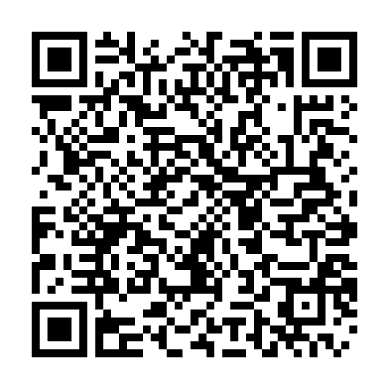
1. How do I get the iiF Conference app?
-The easiest way is to click the ‘download app’ link emailed to you, this is a personalised link that will bypass login, please allow notifications.
-Scan the QR code above or
-Download the Cvent Events App, either in the App Store (iPhone/iPad) or Google Play Store (Android)
Tap Get or Install to download the Cvent Events (published by Cvent, Inc.) app to your device. Once downloaded, you will see the green Cvent Events app icon (pictured) on your device.

2. Find the iiF Conference event
Open the Cvent Events app. In the search bar at the top, type “iiF 2026”, select the iiF 2026 Conference from the search results and tap Download or Access Event. The IIF Conference landing/login page will open inside the app.
3. Log In to Your Account:
Enter the First Name, Last Name, and Email Address you used when registering for the conference. Tap Next. A verification code will be sent to your REGISTERED email or mobile. Enter the verification code inside the app to complete the login. You will now see your event program, speaker info, venue details and more!
4.a. Enable Push Notifications on iPhone (iOS):
When logging in, tap Allow when prompted to enable notifications.
If you missed the prompt: Open your iPhone Settings > scroll down and tap Cvent Events > select Notifications > toggle Allow Notifications to ON. Ensure the toggle switch turns green.
4.b. Enable Push Notifications on Android:
When prompted by the app, select Allow Notifications.
If you missed the prompt: Open phone Settings > Apps (or Apps & Notifications) > select Cvent Events > tap Notifications > toggle All Cvent Notifications to ON. Ensure the notification toggle displays as enabled/active.
Still having trouble? Please email us for assistance
register@iifconference.com.au
Tickets to Regional Revelry networking event
If you hadn’t already purchased a ticket, you can now.
Find your confirmation email, click on the MANAGE my registration.
Follow the prompts to modify, select/add the event to your registration.
Follow remaining prompts to check out and submit. You will be sent an updated confirmation email.